Upgrading + Customizing my iPod Classic
I'm unsure when I first really got one, since it's always been a mandatory carry for me, but for as long as I can remember I've fashioned a MP3 player of some kind. When I was younger, it was this terrible off-brand dinky hot pink model I got from Walmart. Due to its poor quality, it hardly lasted after being left on the charger for too long. And then it was my Nintendo 3DS to store all my teen music taste. In recent years though I decided to find my "forever" device. Something customizable, reasonably powerful, a place to store my MP3s that're costing the music industry billions. ..An iPod!
Types of MP3 Players
If you're curious for your own player, there are many options. Some people may want something sleeker, or something for their audiophilia. That, and the iPod is a bit of a pet project. The market for these players is a bit niche, but thankfully high quality on average. Of course, you could just find a cheap one at a value store. But those are of poorer quality, and have suicidal tendencies.
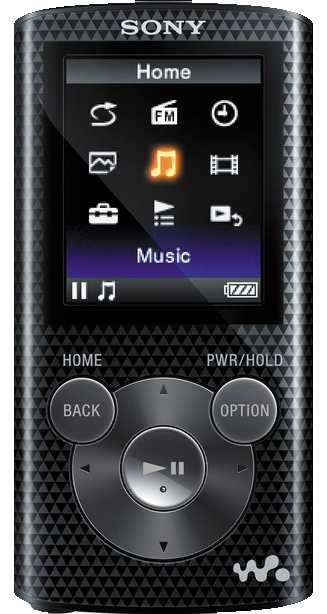 |
Lots of colors and varying models. Not alot of storage. Reasonably priced. Dubious battery. |
| Sony Walkman |
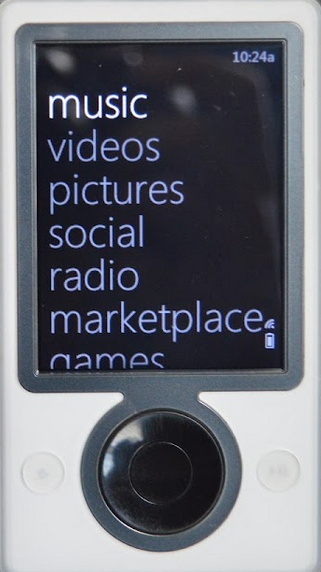 |
Cult following. Requires setup similar to iPod, something something needing old software to jailbreak it. A bit pricey. Some cool "limited edition" models. Active Reddit community. |
| Microsoft Zune |
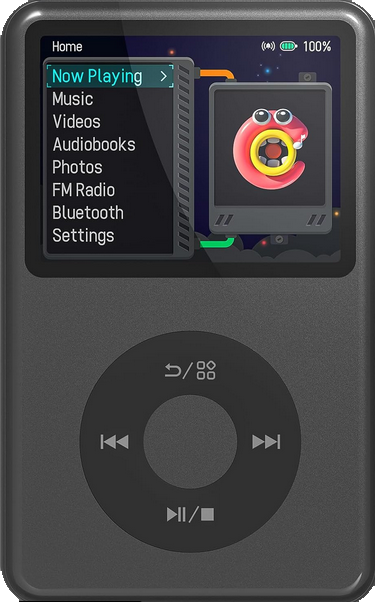 |
Runs on Android, also works with Rockbox. Can watch videos and listen to radio. Various colors. Active Reddit community. Reasonably priced. May need SD card replacement. |
| Innioasis Y1 |
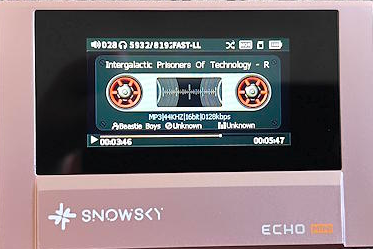 |
I know the least about this one. Pretty pricey. FLAC support? |
| FiiO Snowsky |
I want to state that I don't know much about these players, beyond their mere existence. So use these referrals as a "jumping off" point for your own research.
As mentioned before, I used my 3DS for a very long time. Yes, it has a music player software by default! It's rather limited, but it served me well for many years. Thankfully the instructions are still burned into my brain. Make a folder on the root of the SD card, and place up to one hundred songs in the folder. They should then appear in the player. :} I remember really enjoying the audio mixer it features, and making every song into a nightcore remix.
Why iPod?
The first major reason I preferred the iPod is, as you will see, the upgradability of the unit. The second major reason was the alternative OS, Rockbox. And the third being the larger community following, thus larger support forums for it. With that said, all of these came at a major downside.. iTunes. Otherwise known as the STD of computer programs. Regardless of the upgrade you perform, you will need to plug your device into iTunes to factory reset it. Thankfully, I have an old Windows computer in my house that I don't mind sacrifising for this sole purpose. But still, incredibly painful.
There are a few generations of iPod, and also different family branches such as the "Nano", "Mini", and "Shuffle". Although ones such as the Nano are quite pretty looking, they are not as powerful. They also are a notorious pain in the ass to repair. With Nanos all essentially being on a timer until their battery inflates and begins to push the screen out-.. I admire those dedicated to their Nano.
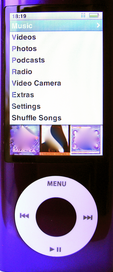 |
| Nano (Fifth Gen) |
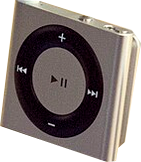 |
| Shuffle (Fourth Gen) |
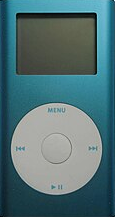 |
| Mini (Second Gen) |
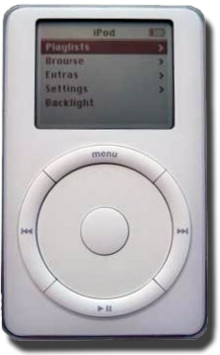
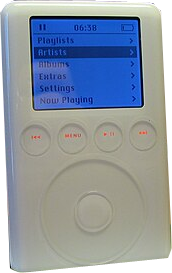
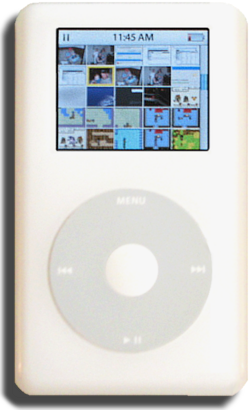
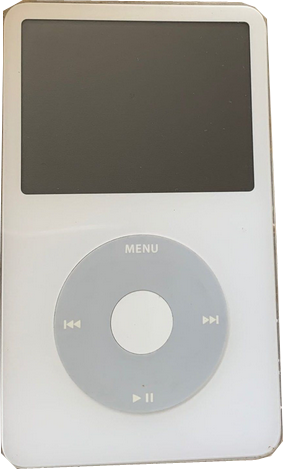
Anyways, I'll be referring to the "Classic" family from now on. There are six generations of iPod, and all of them are still very viable to this day. With replacement parts still being relatively easy to find, and also support from Rockbox.
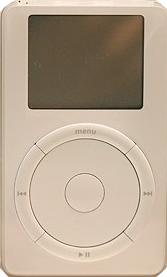 |
| First Gen |
 |
| Second Gen |
 |
| Third Gen |
 |
| Fourth Gen "Photo" |
 |
| Fifth Gen "Video" |
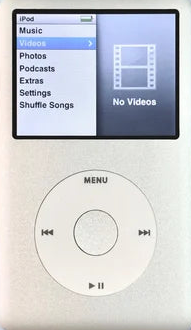 |
| Sixth Gen |
I quickly settled upon the fifth generation, otherwise known as the "Video". Not only is it the easiest front plate to replace (with the sixth gen having a metal plate that is a big pain) but also the most options. I also have heard issues with the sixth gen and the amount of songs it can play, regardless if it has upgraded storage. Something about a hard-coded limitation; so please research that more if you prefer those.
So, very funny, but it actually took me around three-ish years before I upgraded this. I didn't have the funds at the time, but even then, with it's hard-drive and Rockbox, this is an incredibly solid device. And if you don't want to tear down your unit, finding a nice listing on Ebay and cleaning it up will have you set. Still, I feel the need to mention I likely was very lucky. I suspect my listing was refurbished, as the lining along the charging port and the headphone jack (white) was a different color then the front (black).
Disassembly & What Needed Replaced
I love when devices feel like they have organs. In my opinion, I hate the recent beauty standard of making tech thin and weigh nothing. To this day I still mourn my old Windows 7 laptop that could've been used as a brick for a house. What a man! Anyways, what I'm saying is the iPod has some sensitive bits inside of it that requires attention. If you're unacquainted with boards and ribbons, this may seem like a very daunting task, but I assure you it's actually rather hard to damage something. And for the repairs I did, requires no soldering. If you do this yourself, please work slowly and make sure you have a overhead light.
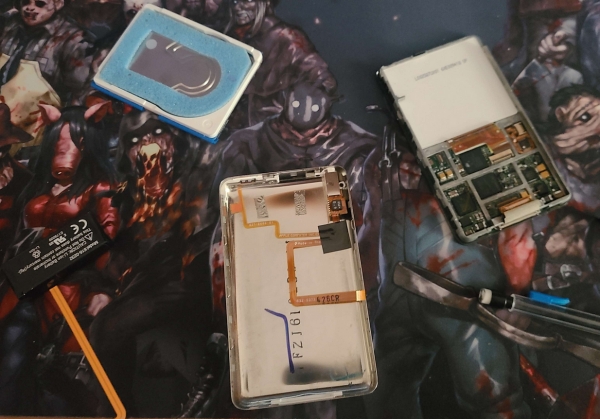
This is the video guide I followed for taking it apart. Again, if you're planning to do this yourself, watch it over a few times until you get an understanding.
I should say, I'm awful at math, but I think I replaced about 75% of the unit. Which included: The front plate, back plate, headphone jack, charging port lining, hold switch, battery, and hard-drive into an iFlash board. I did replace the click wheel and center button, but later reverted it for reasons you will read soon.
Beyond my own upgrades, if you're well-handed enough to perform them, you may want to check out adding Bluetooth or USB-C functionality.
Ordering Parts
The most boring part of any project is waiting for everything to slowly arrive. I was so exicted, I ended up dissassembling it early. I am in America, and ordered from the following three vendors:
>Elite Obsolete Electronics: Probably the most well known storefront for these parts, and also help moderate various iPod oriented Subreddits. They were very fast to ship and provide tracking. Unfortunately though, I ended up receiving only a few parts initially. I double checked my e-mail, to see if there was maybe a second package, but there wasn't. Thankfully they were extremely polite and cordial over e-mail when I contacted them. And after showing following proof, they quickly sent the missing parts.
Now, for the parts themselves, they are of good quality. But, sadly the front plate and click wheel were not as saturated as their listing photos.
This was rather disappointing. I also found that this exact front plate seems to have dye issues, as I found another photo of it on Reddit that has the same problem. I'm unsure if their other front plates have these issues, but I'd recommend getting them from Etsy.
>iFlash: Did you know iPods actually use hard-drives? They're unfortunately getting more prone to failure as time progresses, although there are replacements thankfully. I decided to try the SD card route, since I wanted bigger storage and faster read and write times. I purchased the iFlash Quad, and have no real notes about shipping times or package condition. Very nice, and they included some stickers. :}
>Etsy: This was an after thought, and done after the previous two. As mentioned, the front plate I recieved from EOE was not satisfactory. And I found a much nicer, and richer looking, red plate from iPodMania. I also found a listing of cases for my thick model. ..I don't want to talk about how much it was.. For some reason these cases are very elusive. But, I got my father to drill two holes on the top of all three so I could loop charms. I'm very surprised that cases for the thick models are so rare, and no one has molded their own yet.
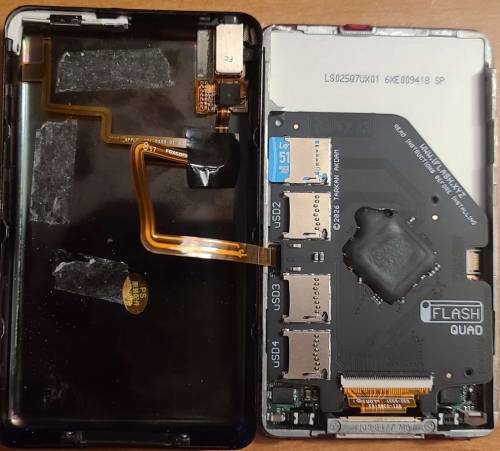
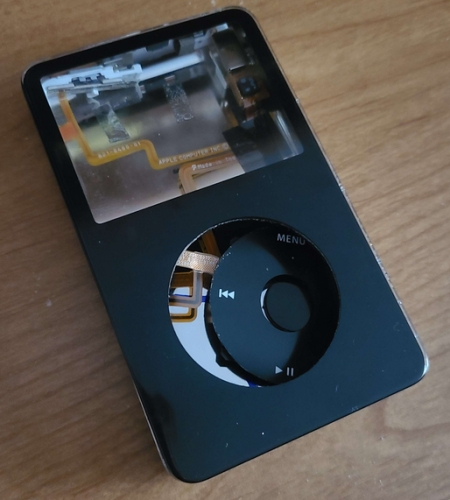
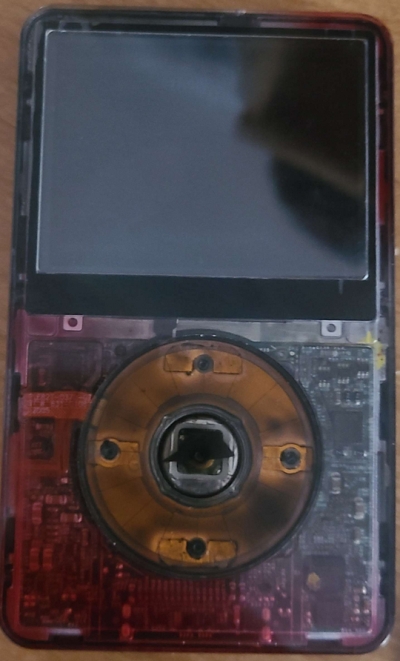
Now, the fun part! Putting everything together. Following the guide I mentioned earlier, this ended up taking me two days. One for the initial disassembly, and the next for putting everything together. I don't have anything spectacular to say about it, it was almost too easy.. (Foreshadowing) Although those little screws on the side of the front plate are a major pain, and you need to be *very* careful with them. Make sure you're working under direct light, and have a plastic bag to hold them in. You absolutely do not want them going missing.
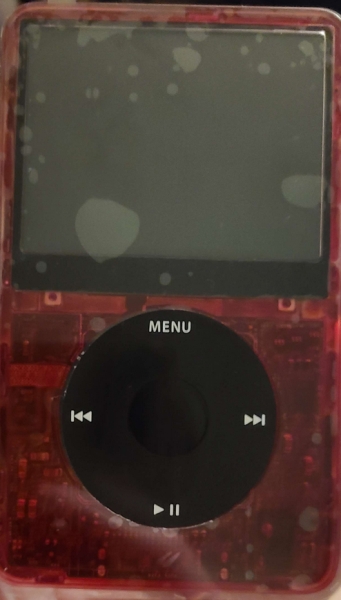
After a week or so, I was so sad with the front plate I ordered the one from iPodMania I mentioned. The process was easy to swap, again. I also decided to return to the old click wheel and center button. Besides not liking the appearance, I was also annoyed at it being sunken; regardless of how I attempted to elevate it using padding. (Which you can see in the center button of the previous photo.)
Rockbox
I've mentioned it alot in this article, and finally heres the section explaining it. Rockbox is essentially an alternative OS for MP3 players. It has quite a large catalogue of devices it can work with, but it's most well known for iPods. As mentioned previously, I've been using it for years even before I did this upgrade, and it has never done me wrong. Besides its aesthetic appeal with a large collection of themes, it also removes a large dependency on iTunes; since it makes your computer read it as a normal hard-drive.
Installation is very easy, so I have nothing to say about that. There is a little bit of setup after though, with having to make a folder for your music on the root (I named mine something ominous, "Music") and then going into "Settings > Database > Initialize Now" after adding some MP3s. This is a must have if you have metadata tagged your files (more on that later). Afterwards, you can then select "Update Now" when adding new MP3s.
Rockbox is absolutely lovely and I can't recommend it enough. Whats also very cool, is that it doesn't overwrite the old stock OS. So if you need it for whatever reason, make sure your hold switch is *on* when you power the device.
I cycled thru many themes, and ultimately settled upon this one.
The Incident
After I replaced the front plate the second time, and turned on the device later that night, I received this odd error in the middle of listening to Britney Spears.
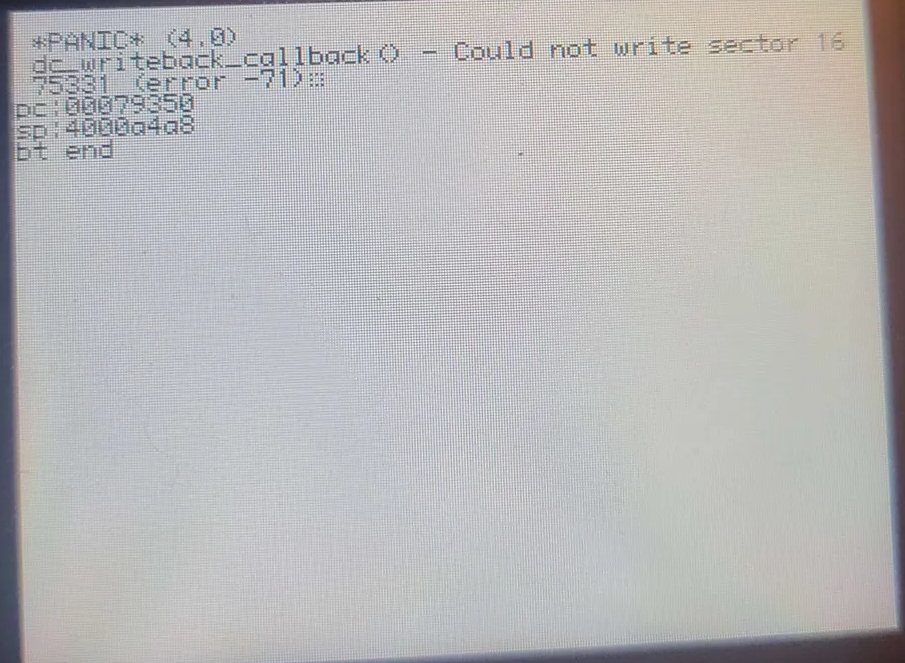
Now, I'm no expert, but from what I understand this must be a SD card error. I thought "I must've not put it back in perfectly", so the next day I dissassembled, took it out, made sure the pins were properly aligned, and turned it back on. Played the songs it previously crashed on, and everything seemed fine. I thought "Ah, I'm such a genius at troubleshooting" and assumed I fixed it.
..I didn't! The next time it turned on, and I selected database, it threw up the same thing again. On my floor. Like a cat. On my expensive rug.
I let it sit for a few days, uncertain of what exactly was wrong with it. I worried I might've somehow scratched the board, or did something I didn't notice. I spent a while carefully examining the pins and the board, and it looked normal. I also worried that somehow Rockbox decided to start rejecting it, since iFlash and Rockbox are known to be a bit of a finnicky combo.
After some reading, I concluded the SD card (A Lexar 512GB) likely corrupted itself. I'm unsure how exactly- it could've also been counterfeit. I honestly don't have the brain power to read up on and research SD cards rich inner lives. An expensive mishap it was. I returned to the iFlash website, and re-read their section for cards known to work. I selected a Samsung EVO card with slightly less GBs, since I know especially those cards are known to work well. Reformatted the card again, another factory reset and Rockbox installation (this time I decided to run the "daily build" since I read more success with those), and it hasn't acted up once.
I also noticed, some of my MP3s (NOT the same ones from the previous SD card, these were taken from a backup I had on the computer with iTunes) seemed corrupted. Displaying a "0KBs" and refusing to play. I'm unsure if this had something to do with it, perhaps a combination, or why those MP3s decided to make a fuss. Well, they've been promptly exterminated. I still have the SD card, and will return to it at a later date to poke at it for my sick satisfaction.
Downloading MP3s, ripping CDs, and Metadata Tagging
Perhaps the hurdle I see when people talk about their hesitancy to move to MP3 players, is not knowing how to properly download and sort their music. It's very easy, I will show you how. :}
For CDs, I use Asunder. This is a Linux program, so sadly I don't know anything for Windows. Please note, if you're on Linux, don't use Rhythm Box! I tried to use it at first, and it made my MP3s odd. They would display in my player as being very long (twenty minutes for example) and would take forever to rip. So please just use Asunder. I also tried using ABCDE, but couldn't get it to work because of some stupid Python thing refusing.
For songs on YouTube, what I do is make an unlisted playlist, and use yt-dlp to download it. Yt-dlp works on both Linux and Windows, and I've used both OSes for them. Sometimes you'll get rate limited, if you're downloading large playlists, so just try again in a few hours. Do keep in mind that unlike CDs, these audio files won't be as high quality as possible. Not super noticable if you're like me and using an iPod, since it can only play audio at a certain rate.
And, for metadata tagging, I used MP3tag on Windows for a while. I have nothing to say about it really-.. For Linux, you can use Rhythm Box, although you can't edit the album art like MP3tag. You should also make sure the album art is 300x300, or it won't display.
Finish
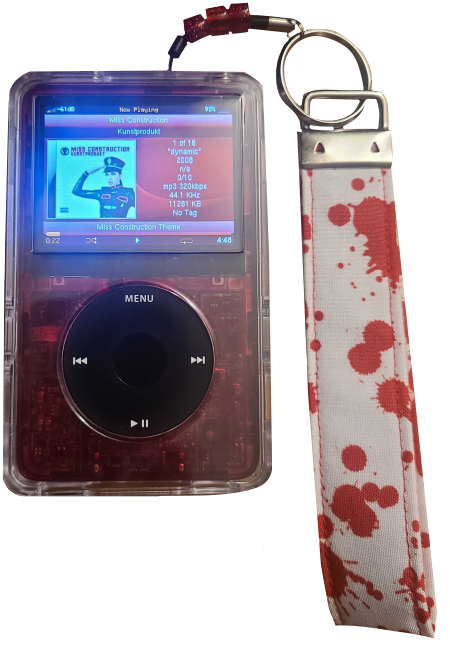
Finally, here it is, my sweetums. My brick. My blunt force object. My giant rectangle, with its clicky buttons and loud jangle when I pick it up.
Mentioned in the "vendors I purchased from" section, I had holes drilled into the case for a charm loop. Admittedly, I gave myself a wicked hand cramp getting those beads to fit.. I also stabbed myself with my tweezers since I was using them to help guide the thread.
I am incredibly happy with how this turned out. I've been using this upgrade for about five-six months since writing, and have had no issues after the SD-Card-Incident. Was it worth the arthritis? Certainly. Was it worth every penny? ..I would've liked a discount.. Nonetheless, the end result is perfect.